Build a Blinkit price tracker in Python
Track the price, MRP, discount and stock of exact Blinkit products at the pincodes you choose, keep a daily history in SQLite, and flag what changed. Every example uses live Blinkit responses from September 2026.
This Blinkit price tracker is a Python script that records the price, MRP, discount and stock of fixed Blinkit product IDs at the pincodes you choose, keeps a daily history in SQLite and flags what changed. For 2 products at 2 pincodes it costs 10 credits a day, about 1 to 2 US cents, and every Blinkit figure below comes from live responses collected on 23 September 2026.
It is written for people who collect data for an FMCG ecommerce team, a market-research firm or a product that shows price and availability. The question the tracker answers every day is:
What happened to this exact product, at this exact delivery location, on this date?
Blinkit data depends on location. As the Upscrape Blinkit API page explains, a pincode resolves to a representative delivery point and its serving merchants, and different addresses in one pincode can see different prices or stock. So the script fixes the product by its ID and the place by a resolved delivery point, and never lets a search result choose either.
The examples track two global-brand protein products, Optimum Nutrition Gold Standard 100% Whey (907 g) and a Nature Valley protein bar pack, at HSR Layout (560102) and Whitefield (560066) in Bengaluru. Swap in your own products once the tracker works.
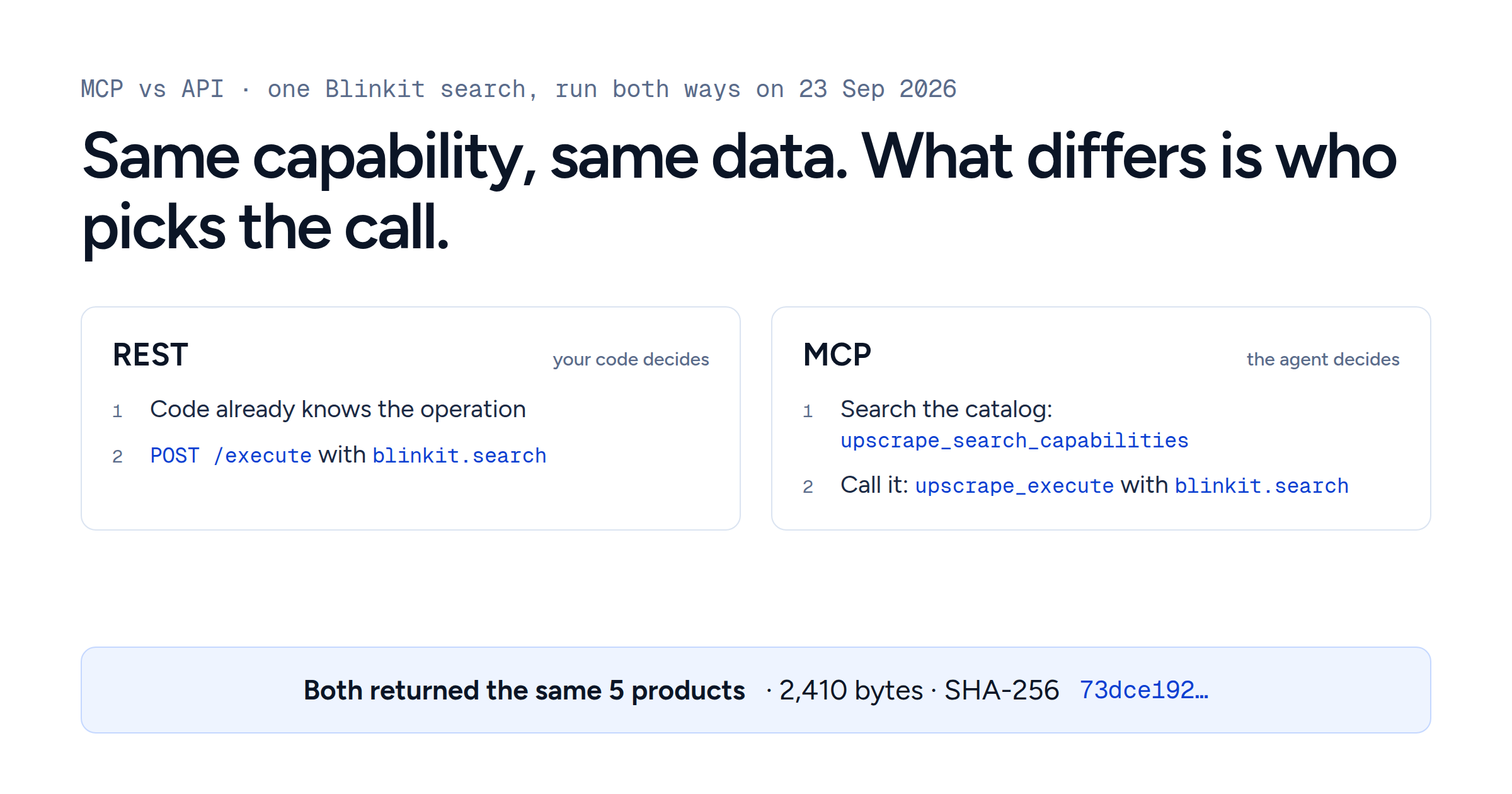
The tracker uses three Upscrape capabilities: blinkit.location to resolve the pincode (1 credit), blinkit.product to read an exact product (2 credits), and blinkit.search only when you first need to find product IDs (1 to 9 credits depending on limit: 1 credit per 12 products requested). The Blinkit API reference always shows the current price of each.
Decide what one row means
Before writing the loop, decide what one observation means.
For price history you need more than product_id and pincode. Keep the coordinates the pincode resolved to, the merchants involved and the time you collected the observation. With those, a price move can be traced to the merchant that served it.
A practical row looks like this:
| Field | Why keep it |
|---|---|
product_id
| Keeps the product identity fixed across runs |
label and variant
| Makes the stored ID readable and catches pack-size mistakes |
pincode
| The location the business asked about |
latitude, longitude
| The representative delivery point actually queried |
location_merchant_id
| The main merchant Blinkit reports for that point |
product_merchant_id
| The merchant that actually served this product, which can be a different one |
price, mrp, discount_pct
| The commercial price observation |
stock_state, inventory
| Availability, kept apart from price |
run_status, error
| Stops failed requests from becoming fake stockouts |
captured_at
| Turns individual requests into a time series |
Missing data stays missing. The blinkit.product reference explains nullable prices and availability fields. A missing price is not ₹0; store null as empty and preserve a real zero. The tracker reads stock_status, available, is_sold_out and inventory, keeping missing or conflicting availability signals unknown.
Resolve the pincode before you read the product
You can send a pincode directly to any Blinkit capability, but for a tracker it helps to make location resolution explicit.
Call blinkit.location first. For a serviceable pincode it returns the representative latitude and longitude, the main merchant ID, the merchants Blinkit reports for that point, and address details. The blinkit.location reference warns that a pincode stands for one point in the area. If Blinkit does not serve the point, or the pincode does not resolve, the request fails with the error code not_found.
Then use the returned coordinates for every exact product check in that run. Each daily batch follows the same path:
pincode -> resolved delivery point -> exact product ID -> observation
It also gives you something to audit, because merchants change. These are the merchants Upscrape observed at the two pincodes in this guide:
| Pincode | Main merchant on 21 Sep | Main merchant on 23 Sep | Served both products on 23 Sep |
|---|---|---|---|
| HSR Layout, 560102 |
40589
|
36475
|
42814
|
| Whitefield, 560066 |
45631
|
45631
|
45631
|
At HSR Layout the main merchant changed between the two checks, at the same coordinates, and both products came from a third merchant, 42814. In Whitefield everything came from the point's main merchant. The tracker keeps both IDs, so a price change that coincides with a merchant change is visible as such.
Discover product IDs once, then stop searching for identity
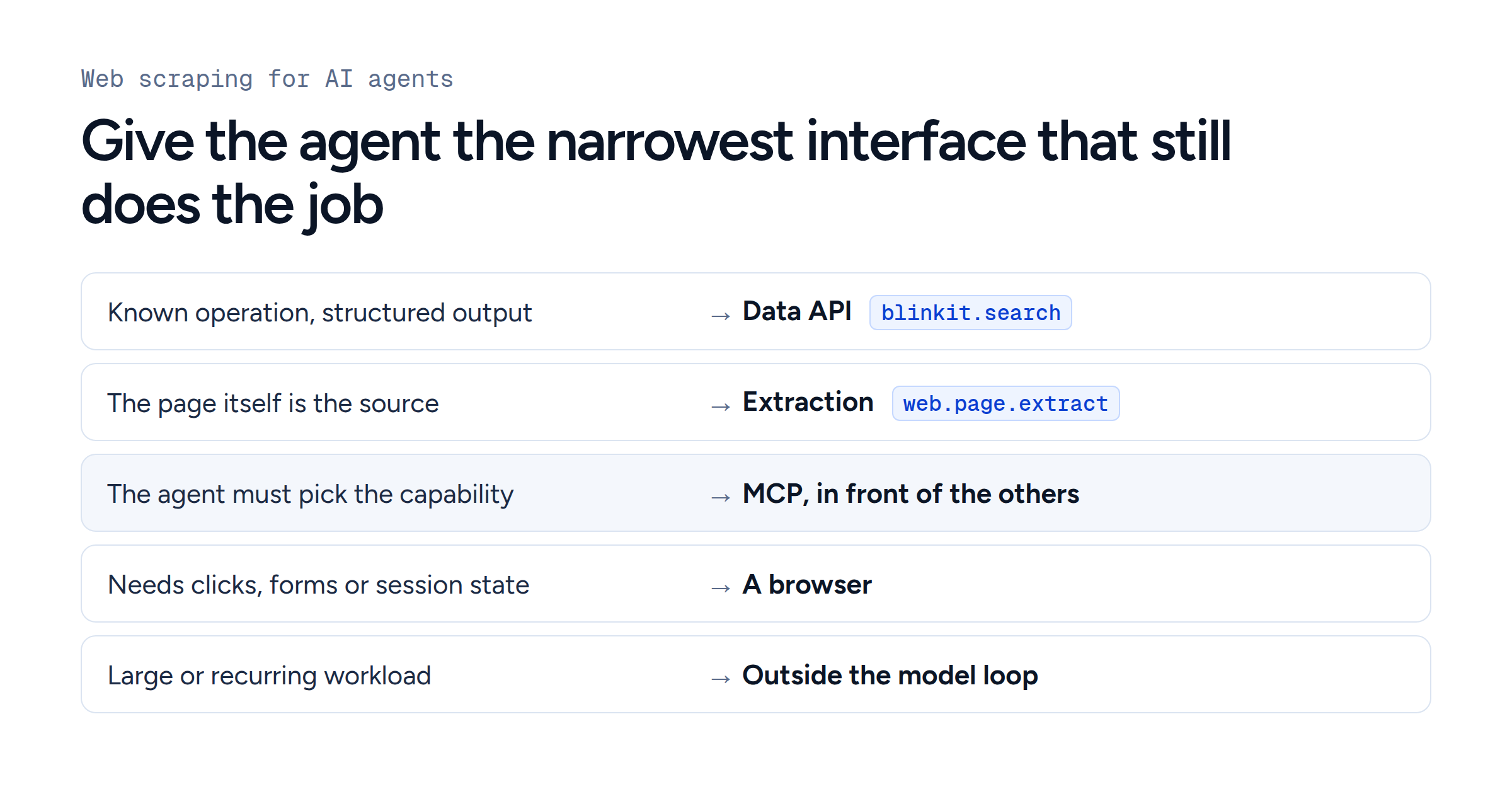
Search is useful when you set up the tracker. After that, the product ID decides what you track.
Suppose you want to track Optimum Nutrition Gold Standard 100% Whey, Double Rich Chocolate, 907 g. Make a one-time blinkit.search request:
curl --request POST \
  --url https://data.upscrape.com/execute \
  --header "Authorization: Bearer $UPSCRAPE_API_KEY" \
  --header "Content-Type: application/json" \
  --header "Prefer: wait=30" \
  --data '{
    "capability": "blinkit.search",
    "input": {
      "pincode": "560102",
      "query": "optimum nutrition",
      "limit": 12
    }
  }'
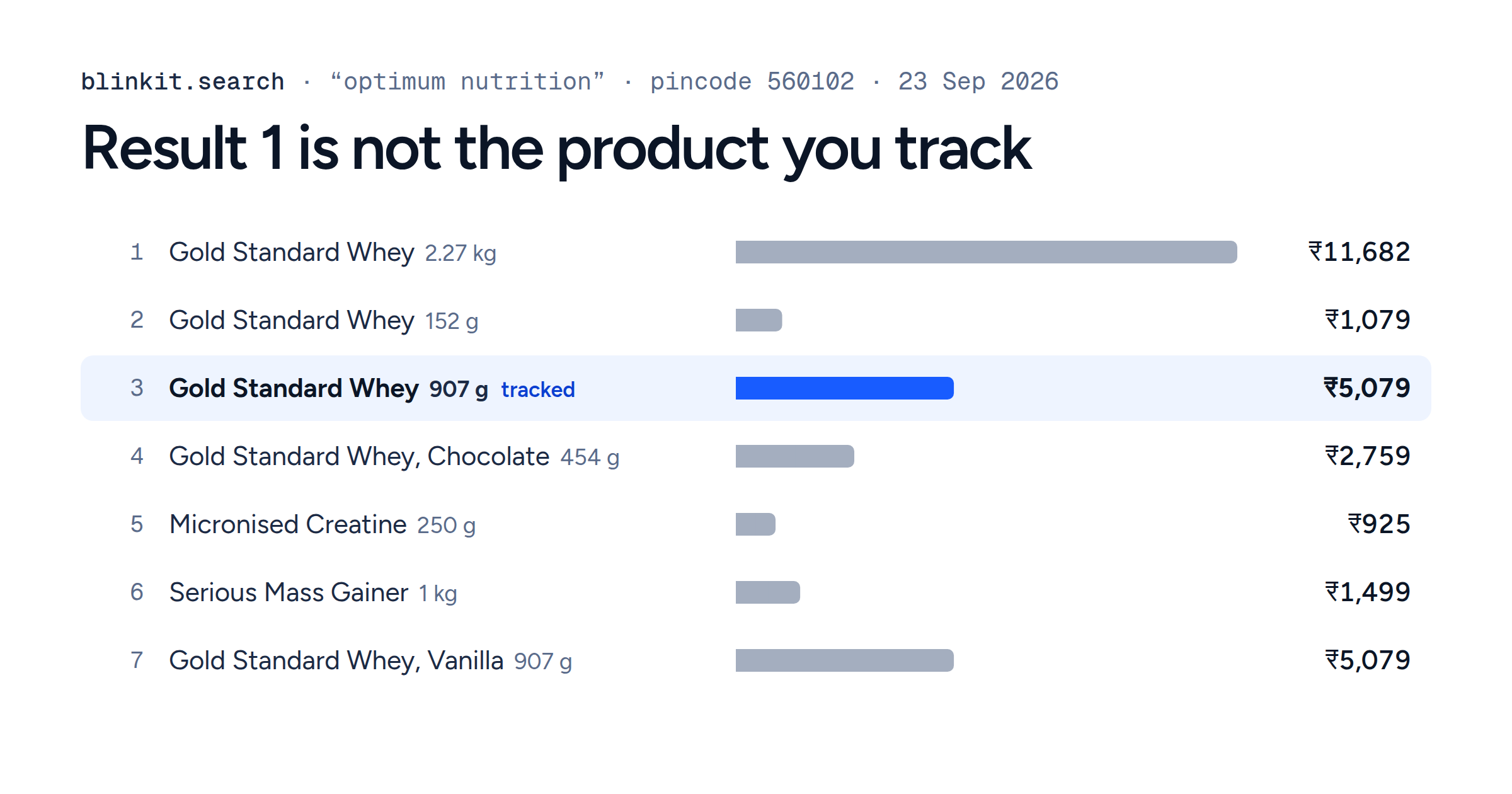
Each search result includes the product ID, name, pack size, price, MRP, inventory and merchant ID. When Upscrape ran this search on 23 September, the first result was a different product:
- 1 Gold Standard Whey, Double Rich Chocolate 2.27 kg ₹11,682
- 2 Gold Standard Whey, Double Rich Chocolate 152 g ₹1,079
- 3 Gold Standard Whey, Double Rich Chocolate 907 g · product 512941 ₹5,079 The product this guide tracks
- 4 Gold Standard Whey, Chocolate 454 g ₹2,759
- 5 Micronised Creatine, Citrus Orange 250 g ₹925
- 6 Serious Mass Gainer, Chocolate 1 kg ₹1,499
- 7 Gold Standard Whey, Vanilla 907 g ₹5,079
- 8 Whey Protein Powder 1 kg ₹3,799
- 9 Serious Mass Gainer, Chocolate 3 kg ₹4,099
- 10 Gold Standard Whey, Alphonso Mango 907 g ₹5,079
- 11 Performance Whey, Chocolate Milkshake 500 g ₹2,149
- 12 Micronised Creatine, Unflavoured 250 g ₹925
Result 1 is the 2.27 kg tub. Three 907 g tubs, in Double Rich Chocolate, Vanilla and Alphonso Mango, show the same ₹5,079, so neither the position nor the price identifies the product. Only the product ID does.
Source: Upscrape blinkit.search at pincode 560102, 23 September 2026, 02:02 IST.
Inspect the name and pack size, confirm the product you want, and put its ID into your tracked-product configuration. Here that is 512941, at ₹5,079 against an MRP of ₹6,319 on 23 September. The second product in this guide, Nature Valley Crunchy Oats & Honey Protein Bar Pack (5 x 42 g), was found the same way: product 475798.
From then on, use blinkit.product.
A daily tracker that searched for "optimum nutrition" and took result number one would have tracked a tub more than twice the size. Ranking changes, other pack sizes and flavours appear, and the product you want can drop out of the result set. With the ID fixed, the time series describes the same product every day.
Build the daily Blinkit price tracker
Save the following as blinkit_tracker.py. It needs Python 3.9 or later and the requests package:
pip install requests
# Windows only: Python there has no time zone database of its own
pip install tzdata
export UPSCRAPE_API_KEY="your_api_key"
Replace PINCODES and PRODUCTS with your own locations and confirmed product IDs.
The script handles both inline results and queued jobs. As the jobs reference describes, completed work returns HTTP 200, while HTTP 202 means the job is still running and should be polled. A job that fails while you wait returns a non-2xx status with an error code, and a failed job you poll returns HTTP 200 with state: "failed". The script checks the state and the error code in both cases (see errors and retries). Each submission carries its own Idempotency-Key, and a poll that meets a rate limit or a server error waits, honouring Retry-After, and polls again until the deadline.
import csv
import os
import sqlite3
import time
import uuid
from datetime import datetime, timedelta
from zoneinfo import ZoneInfo

import requests

API = "https://data.upscrape.com"
KEY = os.environ["UPSCRAPE_API_KEY"]
DB = "blinkit_tracker.sqlite3"
CSV = "blinkit_latest.csv"
IST = ZoneInfo("Asia/Kolkata")

PINCODES = ["560102", "560066"]
PRODUCTS = [
    {
        "product_id": 512941,
        "label": "Optimum Nutrition Gold Standard Whey Double Rich Chocolate 907 g",
    },
    {
        "product_id": 475798,
        "label": "Nature Valley Crunchy Oats & Honey Protein Bar Pack 5 x 42 g",
    },
]

FIELDS = [
    "captured_at", "run_date", "pincode", "latitude", "longitude",
    "location_merchant_id", "product_id", "label", "name", "variant",
    "price", "mrp", "discount_pct", "stock_state", "inventory",
    "product_merchant_id", "run_status", "error", "change_flag", "changes",
]

# Polls that hit these are retried. The stop codes end the run.
RETRY_STATUS = {429, 500, 502, 503, 504}
STOP_CODES = {"unauthorized", "quota_exhausted", "account_inactive"}


class UpscrapeError(RuntimeError):
    def __init__(self, code, message):
        super().__init__(f"{code}: {message}")
        self.code = code


def raise_job_error(r):
    try:
        body = r.json()
    except ValueError:
        body = {}

    err = body.get("error") or {}
    raise UpscrapeError(
        err.get("code") or f"http_{r.status_code}",
        err.get("message") or r.text[:300],
    )


def execute(capability, input_data, deadline=90):
    headers = {
        "Authorization": f"Bearer {KEY}",
        "Content-Type": "application/json",
        "Prefer": "wait=30",
        "Idempotency-Key": str(uuid.uuid4()),
    }

    r = requests.post(
        f"{API}/execute",
        headers=headers,
        json={"capability": capability, "input": input_data},
        timeout=40,
    )

    started = time.monotonic()
    delays = [1, 2, 4, 8, 10]
    attempt = 0
    job_id = None

    while True:
        if r.status_code == 200:
            body = r.json()
            if body.get("state") == "completed" and body.get("success") is True:
                results = body.get("results") or []
                if not results:
                    raise UpscrapeError("empty_result", "completed job had no results")
                return results[0].get("data") or {}
            # A polled job that failed arrives as HTTP 200 with state "failed".
            raise_job_error(r)

        if r.status_code == 202:
            job_id = r.json().get("job_id")
            if not job_id:
                raise UpscrapeError("missing_job_id", "pending response had no job_id")
        elif job_id is None:
            # Rejected requests and jobs that failed during the wait.
            raise_job_error(r)
        elif r.status_code not in RETRY_STATUS:
            # A 404 here means the job ID is unknown, not the location.
            raise UpscrapeError(f"poll_http_{r.status_code}", r.text[:300])

        if time.monotonic() - started >= deadline:
            raise UpscrapeError(
                "local_timeout",
                f"job {job_id} still pending after {deadline}s; "
                "poll it later instead of resubmitting",
            )

        wait = delays[min(attempt, len(delays) - 1)]
        if r.status_code in RETRY_STATUS:
            wait = max(wait, float(r.headers.get("Retry-After") or 0))
        time.sleep(wait)
        attempt += 1

        r = requests.get(
            f"{API}/jobs/{job_id}",
            headers={"Authorization": f"Bearer {KEY}"},
            timeout=20,
        )


def stop_if_fatal(exc):
    # A bad key or an empty balance says nothing about Blinkit.
    if getattr(exc, "code", None) in STOP_CODES:
        raise SystemExit(f"stopping the run: {exc}")


def init_db(conn):
    conn.execute("""
        CREATE TABLE IF NOT EXISTS observations (
            id INTEGER PRIMARY KEY AUTOINCREMENT,
            captured_at TEXT NOT NULL,
            run_date TEXT NOT NULL,
            pincode TEXT NOT NULL,
            latitude REAL,
            longitude REAL,
            location_merchant_id TEXT,
            product_id INTEGER NOT NULL,
            label TEXT NOT NULL,
            name TEXT,
            variant TEXT,
            price INTEGER,
            mrp INTEGER,
            discount_pct REAL,
            stock_state TEXT NOT NULL,
            inventory INTEGER,
            product_merchant_id TEXT,
            run_status TEXT NOT NULL,
            error TEXT,
            change_flag INTEGER NOT NULL,
            changes TEXT
        )
    """)
    conn.commit()


def row_template(now, pincode, product, location=None):
    location = location or {}

    return {
        "captured_at": now.isoformat(timespec="seconds"),
        "run_date": now.date().isoformat(),
        "pincode": pincode,
        "latitude": location.get("latitude"),
        "longitude": location.get("longitude"),
        "location_merchant_id": location.get("merchant_id"),
        "product_id": product["product_id"],
        "label": product["label"],
        "name": None,
        "variant": None,
        "price": None,
        "mrp": None,
        "discount_pct": None,
        "stock_state": "unknown",
        "inventory": None,
        "product_merchant_id": None,
        "run_status": "error",
        "error": None,
        "change_flag": 0,
        "changes": None,
    }


def apply_product(row, product):
    price = product.get("price")
    mrp = product.get("mrp")
    inventory = product.get("inventory")

    # Keep unknown and contradictory availability signals separate from stockouts.
    signals = set()
    status = product.get("stock_status")
    if status in ("in_stock", "low_stock"):
        signals.add("in_stock")
    elif status == "out_of_stock":
        signals.add("sold_out")
    if isinstance(product.get("available"), bool):
        signals.add("in_stock" if product["available"] else "sold_out")
    if isinstance(product.get("is_sold_out"), bool):
        signals.add("sold_out" if product["is_sold_out"] else "in_stock")
    if isinstance(inventory, (int, float)) and not isinstance(inventory, bool) and inventory > 0:
        signals.add("in_stock")
    stock = signals.pop() if len(signals) == 1 else "unknown"

    if (
        isinstance(price, (int, float))
        and isinstance(mrp, (int, float))
        and mrp > 0
    ):
        discount = round((mrp - price) / mrp * 100, 2)
    else:
        discount = None

    row.update({
        "name": product.get("name"),
        "variant": product.get("variant"),
        "price": price,
        "mrp": mrp,
        "discount_pct": discount,
        "stock_state": stock,
        "inventory": inventory,
        "product_merchant_id": product.get("merchant_id"),
        "run_status": "ok",
    })


COMPARED = [
    "run_status",
    "price",
    "mrp",
    "discount_pct",
    "stock_state",
    "location_merchant_id",
    "product_merchant_id",
]


def previous_day(conn, row):
    yesterday = (
        datetime.fromisoformat(row["run_date"]).date()
        - timedelta(days=1)
    ).isoformat()

    found = conn.execute(f"""
        SELECT {', '.join(COMPARED)}
        FROM observations
        WHERE pincode=? AND product_id=? AND run_date=?
        ORDER BY captured_at DESC
        LIMIT 1
    """, (
        row["pincode"],
        row["product_id"],
        yesterday,
    )).fetchone()

    if not found:
        return None

    return dict(zip(COMPARED, found))


def compare(previous, current):
    if previous is None:
        return 0, "no_baseline"

    changes = []

    if previous["run_status"] != current["run_status"]:
        changes.append(
            f"status {previous['run_status']} -> {current['run_status']}"
        )

    if previous["run_status"] == current["run_status"] == "ok":
        for field in ("price", "mrp", "discount_pct", "stock_state"):
            if previous.get(field) != current.get(field):
                changes.append(
                    f"{field} "
                    f"{previous.get(field)} -> {current.get(field)}"
                )

    for field in ("location_merchant_id", "product_merchant_id"):
        before = previous.get(field)
        after = current.get(field)

        if before and after and before != after:
            changes.append(f"{field} {before} -> {after}")

    return (
        int(bool(changes)),
        "; ".join(changes) if changes else "no_change",
    )


def collect():
    now = datetime.now(IST)
    rows = []

    for pincode in PINCODES:
        try:
            location = execute(
                "blinkit.location",
                {"pincode": pincode},
            )
        except Exception as exc:
            stop_if_fatal(exc)
            # not_found: Blinkit does not serve this point,
            # or the pincode did not resolve.
            if getattr(exc, "code", None) == "not_found":
                status = "location_not_found"
            else:
                status = "error"

            for product in PRODUCTS:
                row = row_template(now, pincode, product)
                row.update(run_status=status, error=f"location: {exc}")
                rows.append(row)
            continue

        lat = location.get("latitude")
        lon = location.get("longitude")

        if lat is None or lon is None:
            for product in PRODUCTS:
                row = row_template(
                    now,
                    pincode,
                    product,
                    location,
                )
                row["error"] = "location returned no coordinates"
                rows.append(row)
            continue

        for product in PRODUCTS:
            row = row_template(
                now,
                pincode,
                product,
                location,
            )

            try:
                data = execute(
                    "blinkit.product",
                    {
                        "product_id": product["product_id"],
                        "latitude": lat,
                        "longitude": lon,
                    },
                )

                apply_product(
                    row,
                    data.get("product") or {},
                )

            except Exception as exc:
                stop_if_fatal(exc)
                row["error"] = f"product: {exc}"

            rows.append(row)

    return rows


def main():
    rows = collect()

    with sqlite3.connect(DB) as conn:
        init_db(conn)

        for row in rows:
            row["change_flag"], row["changes"] = compare(
                previous_day(conn, row),
                row,
            )

            conn.execute(
                f"INSERT INTO observations "
                f"({', '.join(FIELDS)}) "
                f"VALUES ({', '.join('?' for _ in FIELDS)})",
                [row[field] for field in FIELDS],
            )

        conn.commit()

    with open(CSV, "w", newline="", encoding="utf-8") as f:
        writer = csv.DictWriter(
            f,
            fieldnames=FIELDS,
        )
        writer.writeheader()
        writer.writerows(rows)

    for row in rows:
        if row["change_flag"]:
            print(
                row["pincode"],
                row["label"],
                row["run_status"],
                row["changes"],
            )


if __name__ == "__main__":
main()What the first run records
Given the Blinkit responses collected on 23 September 2026, the script prints nothing on its first run, because there is no baseline yet, and writes these rows. The table shows a selection of the columns; discount_pct is 19.62 for the whey and 12.0 for the bar pack.
| Pincode | Product | Price | MRP | Stock | Inventory | Location merchant | Product merchant |
|---|---|---|---|---|---|---|---|
| 560102 |
512941
| 5079 | 6319 |
in_stock
| 4 |
36475
|
42814
|
| 560102 |
475798
| 330 | 375 |
in_stock
| 1 |
36475
|
42814
|
| 560066 |
512941
| 5079 | 6319 |
in_stock
| 1 |
45631
|
45631
|
| 560066 |
475798
| 330 | 375 |
in_stock
| 2 |
45631
|
45631
|
The prices match across the two pincodes, but the merchants and inventory differ. A tracker that stored only price would miss that the HSR Layout rows came from a different merchant than the point's main one.
What the script refuses to infer
A product becomes sold_out when the response provides an out-of-stock signal, and in_stock when it provides an in-stock or low-stock signal. Positive inventory also counts as in-stock evidence. Missing or contradictory signals stay unknown; inventory zero alone is not a stockout. Prices are recorded separately, including a real zero when returned.
An API failure stays run_status=error, and a pincode that Blinkit does not serve, or that does not resolve, becomes location_not_found. Neither is recorded as sold out, and failed requests are not charged. An invalid key, an inactive account or an empty balance stops the run without writing any rows, because those errors say nothing about Blinkit.
If a job is still running when the script's 90-second polling deadline passes, the script records an error but does not cancel the job, which may still complete and be charged. Do not resubmit it in the same run; tomorrow's run is a new observation.
That separation keeps operational failures out of your availability metrics.
A missing search result is not a stockout
Search visibility and exact-product availability are different signals, and the tracker keeps them apart for a concrete reason. At HSR Layout on 23 September, Upscrape searched for protein bar with a limit of 50 and then checked the Nature Valley pack directly:
- The Whole Truth 10
- SuperYou 9
- Yoga Bar 9
- RiteBite 5
- Avvatar 4
- Avolt 3
- Phab 3
- Stroom 3
- Upnourish by Pluckk 2
- Green Protein 1
- Supply6 1
- Nature Valley product 475798 0 Not in the 50 results. The exact product check at the same point, two minutes later, returned it in stock with 1 unit.
A search for “nature valley” at the same point returned the pack in second place.
Source: Upscrape blinkit.search and blinkit.product at pincode 560102, 23 September 2026, 02:01 to 02:03 IST.
If a daily tracker had read "not in the protein bar results" as "out of stock", it would have written the wrong fact into its history.
The reverse holds too: a returned price says nothing on its own about whether the product can be bought right now, so price and availability stay in separate columns and are read separately.
Search still has value. It shows what a shopper sees for a query and where a product ranks. Keep that as its own dataset, beside exact product availability.
Run it once a day
On a Linux host whose scheduler runs in India time, a cron entry runs the tracker every morning:
15 7 * * * cd /path/to/tracker && /path/to/.venv/bin/python blinkit_tracker.py >> tracker.log 2>&1If the machine uses another timezone, set the scheduler's timezone explicitly instead of assuming server time is IST.
Each run creates or updates two files:
blinkit_tracker.sqlite3is the append-only history used for day-over-day comparison.blinkit_latest.csvholds only the current batch, ready to hand to an analyst or load into another system.
On the first day every row gets changes=no_baseline and the script prints nothing. On later days it prints only the rows that changed, with flags such as price 330 -> 315, stock_state in_stock -> sold_out or location_merchant_id 40589 -> 36475. That last flag is how the HSR Layout merchant change between 21 and 23 September would appear on two consecutive daily runs.
The script compares with the previous calendar day, not the most recent successful response. If yesterday failed, today's row should say so. Otherwise a three-day gap could pass for an ordinary one-day comparison.
What does a daily Blinkit price tracker cost?
A blinkit.location request costs 1 credit and a blinkit.product request costs 2. If you track N products at M pincodes once a day, a normal run costs:
| Requests per day | Credits | This guide: 2 products, 2 pincodes |
|---|---|---|
| Product checks | 2 × N × M | 8 |
| Location checks | M | 2 |
| Total per day | 2 × N × M + M | 10 |
That is about 300 credits a month for this guide's basket, or about $0.38 to $0.59 a month at current pack rates: 300 credits at $1.25 per 1,000 on the 400,000-credit pack is $0.375, and at $1.96 per 1,000 on the 25,000-credit pack it is $0.588. These are the prices published on 24 September 2026; the reference pages always show the current ones.
The location calls are worth keeping because they record the delivery point and merchant you are comparing.
Failed requests, including a pincode Blinkit does not serve, never consume credits under the current pricing. Pack prices and terms can change, so check the Upscrape pricing page rather than hard-coding a rupee or dollar cost into the tracker.
If you also run blinkit.search every day for search-rank analysis, budget those calls separately: a search costs 1 credit per 12 products requested, so the 12-product search above is 1 credit and a 50-product search is 5. The fixed-product history built here does not need them.
Turn the snapshots into Blinkit price history
Upscrape's Blinkit endpoints return current observations, so Blinkit price history comes from scheduling repeated observations and keeping them yourself.
After seven daily runs, inspect the history directly:
SELECT
    run_date,
    pincode,
    product_id,
    label,
    price,
    mrp,
    discount_pct,
    stock_state,
    run_status,
    changes
FROM observations
WHERE run_date >= date('now', '+330 minutes', '-6 days')
ORDER BY product_id, pincode, run_date;
date('now') in SQLite is UTC, while run_date is an India date, so the query shifts by 330 minutes (five and a half hours) before counting back six days.
For analysis, group by product and pincode together. A useful seven-day price chart draws one series per product and location, shows stock events beside the price series, and draws missing prices as gaps.
For an ecommerce account team, the history then answers questions such as whether the MRP changed or only the selling price, whether a discount appeared only at some delivery points, whether a stockout was limited to one location, and whether a price move coincided with a different merchant.
SQLite is enough for a small fixed basket. At higher volume the same row structure moves into Postgres, a warehouse or your existing pipeline without changing the identity rules.
Three rules keep the history usable
Resolve location before collecting the product. The pincode is the business geography you asked about; the returned coordinates and merchants describe the observation you actually made. Keep both.
Track exact product IDs. Use search to find IDs and confirm names and pack sizes, then fix the IDs in configuration. Product identity comes from the ID, whatever the search order.
Preserve uncertainty.
sold_out,unknown,errorandlocation_not_foundmean different things. Merging them makes a dashboard simpler and the history less trustworthy.
These rules matter more as the dataset grows. Once hundreds of daily snapshots feed reports or customer-facing features, fixing identity or state rules after the fact is much harder than getting them right in the first run.
Each daily run then answers the same well-defined question: what did Blinkit return for this exact product, at this resolved delivery point, at this time?